Libellés

dimanche 16 avril 2017

Iphone 7

What is the iPhone 7?

The iPhone 7 entered the world with a bang, thanks to headphone controversy and a price hike seemingly in the wake of Brexit.
But at first glance you’ll wonder what’s changed – it looks pretty much the same as an iPhone 6. I loved that design, but then I loved the design of the iPhone 4 – that doesn't mean I want a phone that looks like that in 2016. Still the 6 design was good, but would any other company get away with a two-year-old look for its flagship phone?
Get past this and the iPhone 7 delivers a unique experience among iPhones, which is both a good and bad thing. The new features – water resistance, an incredible quad-core processor and, crucially, a 32GB starting storage capacity – are all very welcome. So is the excellent camera that’s had the right upgrades to make photos look better.

But like the eponymous Batman villain, the iPhone 7 has two faces. The removal of the headphone jack feels unnecessary and restrictive, the handset costs more than the 6S did when it was released last year (in the UK at least), and the iPhone 7's battery life is a real problem.
If you want a small Apple phone you'd be better off opting for the iPhone SE. Alternatively check out our iPhone 7 Plus review. Yes that phone is even more expensive, but it lasts a lot longer and has an even better camera that offers proper zoom. There's is one other option to consider too if you're hooked on Apple. The iPhone 6S Plus remains a great phone, has strong battery life and costs exactly the same as the iPhone 7.

iPhone 7 – Design

There’s not much to talk about when it comes to the aesthetics of the iPhone 7. If you’ve used an iPhone 6 or 6S you’ll feel like you've returned home after a long holiday and the window curtains have been changed.
For standing out from the iPhone crowd, the new Jet Black finish is really your only option. A Jet Black iPhone 7 looks like no other handset. It’s not like the plastic iPhone 5C – this is a phone made out of metal, but which is smooth to touch without being slippery. Yes, it attracts fingerprints, but who cares when it looks this good? One not of caution, though. It does mark up a little easily so you'll need to treat it with care if you want it to keep looking good.

The second new colour on offer is simply called Black. This replaces the Space Grey of previous models and makes the iPhone 7 looks like a mean machine. The other versions available are Silver, Gold and Rose Gold.
The iPhone 7’s size and shape is almost identical to the previous models, however the antenna bands that formerly ran across the back now tastefully curve around the ends, and the camera nub is more rounded. These changes are small, but welcome, although it does mean you won't be able to use an old 6 or 6S case

The iPhone 7 retains those chunky top and bottom areas of its bezel and this means it offers less screen space for its size than the HTC 10, LG G5 or Samsung Galaxy S7. The latter has very similar dimensions but comes with a 5.1-inch screen, compared to the 4.7-incher on the iPhone 7. It feels like some other brands have overtaken Apple when it comes to phone design.
That’s all there is to discuss about the aesthetics. However, there’s plenty to talk about when it comes to design. Apple's made some fundamental changes to the iPhone 7 that will affect the way you use your phone for better and worse.
Let’s start with the missing headphone socket. For some people this is going to be a big issue, but it hasn’t been a problem for me.
There are a number of potential reasons why Apple's decided to remove the 3.5mm socket from the iPhone 7, but the company won’t outright tell us why.
Space seems to be the primary factor when you look at the internal design. The new Haptic engine is a lot chunkier and takes up some of the space, as does the louder speaker that's been crammed into the bottom. Apple has clearly decided improved features on the iPhone 7 are better than keeping a 50-year-old connection, particularly since wireless headphones have become increasingly popular over the past few years. In fact, Apple has launched its own wireless headphones, called AirPods. Shame you're going to need 'courage' to wear AirPods outside...

That’s all well and good, but for many who own a great pair of wired headphones this will prove a problem. Apple has resolved it to a great extent by providing a pair of Lightning Earpods and a small adapter in the box with the iPhone 7. The adapter lets you plug wired headphones into the charging port. It works well, but you won’t be able to charge your phone and listen at the same time, plus it’s small and easy to misplace.
There are some neat third-party Bluetooth aptX headphone adapters available, such as the £69 Noble Audio BTS, but be prepared for an inevitable drop in audio quality when used with high-end headphones.
I haven’t been too affected by the lack of jack. Having bought into the convenience of wireless headphones a few years ago, I now favour them over my better-sounding wired pairs. It’s a transition I expect many of us will make over the coming years.
The other design change I got to grips with quickly is the new Home button – if you can still call it that.
Gone is the iconic click; it now has capacitive touch sensitivity. That means it works using the tiny bits of electricity in your fingers, just like the screen does, so if you’re wearing normal gloves it won’t function.

Incredibly, I could've sworn that the button had some give to it until I turned the phone off and realised that I’d been duped. That’s how good the new Haptic engine is. The feedback it offers tricks your brain into thinking the button can actually be pressed. This isn’t just smoke and mirrors; it feels real. I thought I’d miss the old iconic iPhone Home button, but I don’t.
That Haptic engine is used for more than just the Home button, though – the iPhone 7 now feels like it talks to you by vibrating at key moments. Whether you're scrolling through the timer or getting a call, the refined buzzes tell you a lot more than the iPhone 6S ever did.

iPhone 7 – Water resistant

One of the reasons the Home button has been changed is because of the iPhone 7’s headline feature: water resistance.
Apple may not be the first to create a water-resistant phone, but it’s a brilliant feature to have nonetheless. That’s because one of the main reasons people ruin their phone is through water damage. I’ve broken a phone or two by dropping it in the wet stuff in the past.

The iPhone 7 is hardy enough now to withstand a moderate dunk in up to 1m of water for up to 30 minutes. The iPhone 7 manages an IP67 rating for water and dust resistance, which is a little less than the certification achieved by the Galaxy S7 and Sony Xperia Z5. Don’t let that bother you, though. The difference is small and I’ve used the iPhone 7 in the shower and left it in water for 30 minutes and it still works just fine.
Water resistance is an added level of insurance for flagships that cost a lot to replace. It certainly came to my rescue when I dropped the iPhone 7 in a puddle while camping on a wet weekend.

Key Features

  • 4.7-inch 326ppi wide-colour-gamut display
  • 32, 128 and 256GB storage options
  • Water-resistant IP67
  • A10 Fusion chip
  • 12MP camera with OIS
  • 7MP front camera
  • Taptic engine with 3D Touch
  • Manufacturer: Apple
  • Review Price: £599.00


Review Xiaomi Mi3

What is the Xiaomi Mi3?

Sometimes smartphones can seem a bit boring. Every year, the same companies make the same phone but with a few tweaks, a bigger screen and a new name. Phones like the Xiaomi Mi3 are here to shake things up.
The Xiaomi Mi3 isn’t available in the UK yet aside from as an import, but Chinese companies like Xiaomi and OnePlus have a chance at changing the face of the phone market. Of course, that’s all stuff for the future.
We got out hands on one of Xiaomi's phones right now to see whether this £200-odd wonder is really worth considering as an import alternative to something like the Nexus 5, or even Samsung Galaxy S5.


Xiaomi Mi3: Design

Chinese phones are infamous for nicking the looks of other better-known models. There are more Samsung Galaxy knock-offs over there than you could count. But the Xiaomi Mi3 is different, it has a look all of its own.
Granted, there are shades of the Nokia Lumia series to its curved sides, but the Xiaomi Mi3 has a distinctive look that proves surprisingly recognisable for something most of us have never heard of. The back, bottom and top edges are all completely flat, but the semi-circle curved sides give the phone quite a nice, soft feel in-hand.
First impressions of the Xiaomi Mi3 suggest it’s ‘just’ a high-end plastic phone – again, in the Nokia mould. But it’s not. This is a magnesium alloy phone, and it is one of the first to use magnesium as its outer layer rather an inner casing. To be specific, the outer part of the Mi3 is a magnesium-aluminium alloy with three layers of graphite on top.

This gives a slightly soft feel that’s less hard and cold than standard aluminium. As a result it is also not going to impress you with how expensive it feels on first touch. While technologically superior – magnesium is lighter and stronger than aluminium – this is one of the reasons why phone-makers tend to favour aluminium.
Leave the magnesium shell a while to bed in and you really start to appreciate how well-made the Xiaomi Mi3 feels. The shell is much more rigid than plastic, giving the phone a higher-end feel than phones like the LG G3 or Samsung Galaxy S5. Both are more expensive than the Xiaomi Mi3 too.
There are nice little design touches too. The buttons have a nice crisp action with a high-quality feel, and they’re placed on the side (rather than the top) for easy access.

There are plenty of things to be improved, though. There’s no microSD memory card slot, and with just 16GB of storage in the standard version, you only have about 11GB to use for music, pictures and such. You can get a 64GB version, but it costs a fair bit more.
The Xiaomi Mi3 also uses the big ‘full-size’ SIM, which slots into the phone on a tray that seems the size of a dinner plate when you’re used to microSIMs and nanoSIMs. Full-size SIMs are still used commonly in China, but are all-but extinct here unless you’re looking at phones that only cost as much as a pub lunch.

The curvy-sided design affects the width of the Xiaomi MI3, which is perhaps the dimension you need to worry about most when considering if a mobile will be too big for your hands.
The Xiaomi Mi3 is a millimetre wider than the Galaxy S5, and that phone has a slightly larger screen. However, as the Xiaomi Mi3 is just 8.1mm thick and otherwise pretty sound ergonomically, it’s really a design choice rather than a design issue.
Using magnesium also helps with weight. The Xiaomi Mi3 is just 148g according to our measurements, making it roughly the same weight as the Galaxy S5, and a good bit lighter than the HTC One M8 or Nokia Lumia 930. Of course, it’s very easy to overemphasise how important weight is when we’re talking about phones that are all pretty light given how big they are. Having one in your pocket isn’t exactly going to tire you out by the end of the working day.

Review of Samsung galaxy s7

What is the Galaxy S7?


To use a tired cliche, Samsung has had a year of two halves. After the release of both the Galaxy S7 and Galaxy S7 Edge, things were looking strong. It had a phone that was better than the HTC 10, better than the Huawei P9 and it’s still better than the iPhone 7.
But then the exploding Galaxy Note 7 landed and Samsung took a bit of a hit. Is it enough to make you think twice about buying a Samsung device?
In a word, no. The Galaxy S7 is still the best phone we’ve reviewed this year. Maybe the Google Pixel phone will have something to say about that though?
Awards

Samsung Galaxy S7 – Design

After the massive, and much needed, change in design direction Samsung took with the Galaxy S6 and Galaxy S6 Edge in 2015, all rumours pointed to things staying pretty much the same for the Galaxy S7.
Well, it’s not like Apple, HTC or Sony make drastic changes to their industrial design every year.
And that’s exactly the case here. Place the Galaxy S7 next to the S6 and you’d be hard pushed to instantly pick which one is which. Frankly, this doesn’t bother me in the slightest. The S6 was already one of the best-looking phones around, and the Galaxy S7 follows suit.
Both the front and back are covered in Gorilla Glass 4, while a metal rim snakes in between. Two volume buttons sit on one side, with a lock/standby switch on the other. It’s a clean look, with the back free from any markings aside from a Samsung logo.
The camera lens now sits just about flush with the glass body too. This might seem a small change, but it makes a big difference. I can now tap out an email with the phone flat on my desk without it jumping and rocking from side to side.

There is one notable design change on the back – the sides now curve ever so slightly, just like they did on the larger Galaxy Note 5, and it makes a huge change to how the Galaxy S7 feels. While the S6 felt harsh and rigid, the Galaxy S7 slips softly into my palm. It’s so much more ergonomic and makes picking it up off a flat surface much easier.
And the way the sides almost melt into the glass just looks damn cool. Good job, Samsung.
It’s an absolute fingerprint magnet, though. After a few minutes of use, the entire back becomes a grubby mess that needs wiping down with a microfibre cloth.
Along the top is the Nano SIM tray, which now holds a microSD slot, plus a microphone. The bottom houses the headphone socket, another microphone, a speaker and a micro USB port for charging.
That speaker is one of the few missteps on this phone. It’s downward-facing, gets easily blocked by my hands when playing a game and it sounds tinny and distorted at high volume. I guess front-facing speakers weren’t included so the screen surround could be kept minimal, but it’s still a disappointment when a speaker sounds this bad.
It had been suggested that Samsung would make a big switch to the new, reversible USB-C connector that’s already being used on the Nexus 6P, OnePlus 2 and LG G5, but it hasn’t.
To be honest, USB–C is more of a hindrance than a help at the minute. You can’t use any of the cables you’ve picked up over the years and it doesn’t necessarily mean faster charging. It does mean the S7 isn’t quite so future proof, though.
The front again has a clean look about it. The elongated home button still sits under the display, and it still juts out ever so slightly, rather than being concave like the iPhone’s. For me, this is a plus – it feels better pressing the Galaxy S7’s home button than the iPhone 6S’s – but a couple of the TrustedReviews team think otherwise. They’re wrong, of course, but it’s interesting how such a small design choice can split people.

Housed inside the home button is a really fast and accurate fingerprint sensor that matches the iPhone 6S’s for speed, but it’s marginally slower than the Nexus 6P’s. That difference is minimal, though, and something you would only notice if you had the two side by side.
It’s clear from the Galaxy S7 that Samsung is listening to customer feedback and bringing back favoured features from the Galaxy back catalogue. MicroSD expansion is one, and IP68 water resistance is another.
The latter is by no means a vital feature, yet it’s impressive that it’s been added without any forced changes to the design. There are no flaps, there’s no added thickness and no extra space between the display and glass.
What does an IP68 rating mean? Well, you’ll be able to dunk the Galaxy S7 into 1m of water for up to 30 minutes without damaging the phone. Or, if you’re like Lil’ Wayne, you can douse it in multiple bottles of champagne. Obviously.

Samsung Galaxy S7 – Display

Close to perfection. That’s the best way to describe the display on Samsung’s Galaxy S7.
Not much has really changed from the outgoing S6, but this still holds up as the best screen on a smartphone.
It’s still a 5.1-inch QHD panel with a 2560 x 1440 resolution, and just like every Galaxy flagship so far, it uses Samsung’s Super AMOLED tech, rather than the more common LCD.
AMOLED displays are a lot better at showing off blacks than LCDs. Instead of looking slightly grey and washed out, the blacks here are inky deep. Some say AMOLED screens produce colours that are too oversaturated, so reds will look way brighter than they should, but that isn’t much of an issue here. And if you really prefer things toned down, there’s a picture setting for that.
Having so many pixels jammed into a relatively small space means you can’t really spot one pixel from another, and that sharpness makes everything from gaming to watching YouTube an absolute pleasure. Play a round of Alto’s Adventure or Monument Valley on this display and you’ll instantly be drawn in by the crisp details and vivid colour reproduction.
I wouldn’t normally watch a film on a screen this size, but the panel here is so gorgeous that I can’t help getting lost in it.
image: http://static.trustedreviews.com/94/00003812d/008e_orh616w616/galaxy-s7-4.jpg
Galaxy S7 4The one thing that has changed this time around is the addition of a new ‘Always-on’ display.
Due to the way AMOLED screens work, they don’t need to light up the whole display all of the time. They can select individual pixels and just show them, keeping everything else off. So, when the Galaxy S7 is locked it can still show the time, date and a couple of bits of other information on the screen without eating through too much battery.
It’s a nice touch, and great for quickly checking the time when the phone is resting on your desk or a bedside table. But it’s a good software update or two short of being really useful.
First off, it’ll only show notifications from a few apps – it’s currently limited to Samsung’s own Messages, Email and Phone. If you, like me, regularly use WhatsApp, Gmail and Facebook Messenger, none of these will appear. That’s a shame, and makes the notification side of things a lot less useful.
I’d also like a lot more control over the mode. There’s no setting to alter the brightness, which causes some problems when you’re in a darker room, and aside from choosing whether or not you want a calendar showing, there’s no customisation allowed.
image: http://static.trustedreviews.com/94/000037b58/b452_orh616w616/s7-3.jpg
s7 9It uses extra battery too. About 1-2% per hour, so 15% or so per day. It’s just about worth it, but it could be so much better.
My only gripe with the display on the Samsung Galaxy S7 is that, in sunny conditions, it can be quite hard to read – certainly more so than the LCD panel on the iPhone 6S. Even with the brightness jacked all the way up, you’ll have to tilt the screen or find some shade to stop yourself squinting at it.
Thankfully, unlike the Galaxy S7 Edge, it has great viewing angles and doesn’t suffer from white backgrounds getting tinged with blue.


Samsung Galaxy S7 – Android 6.0.1 Marshmallow, TouchWiz and Software

There was a time when stock Android, the way Google intended it to be, was ugly. It was basic, lacked sheen and it paled in comparison to Apple’s iOS. Also, phone makers wanted to stamp their own identity on their handsets, rather than have them all appear alike, so they decided to spruce Android up a bit by adding their own ‘skins’. These are layers that sit over the operating system and change how it looks, along with adding some extra features.
The thing is, Android is no longer ugly. In fact, Android Marshmallow is the sleekest, most polished mobile operating system out there. But these skins are still commonplace.
Samsung’s version is called TouchWiz, and while it’s far less overbearing than Huawei’s EMUI or the skin used by LG, it still alters a lot of Android. Icons are different, there are multiple apps that do the same thing – there are two browsers, for example, and two music players – and Samsung’s exclusive features are pushed front and centre. It’s far from the mess it was a few years ago, but it can still look a bit childish and overly colourful.


One new feature I really do like is Game Launcher. This is a super-charged folder where all your games sit, with a few nifty extras. It’ll automatically organise all your titles, let you record your latest round of Clash of Clans and quickly save a screenshot of your latest high score.
There’s even a setting that ekes more battery life out of the phone when you’re gaming, by dialling down the performance.
Flipboard Briefing, a news app that sat to the left of your home screen on previous Galaxy phones, has been ditched in favour of Upday. It’s basically the same, but it’s curated so you can’t add in your own news sources, like a typical RSS reader.
Thankfully both Game Launcher and Upday can be disabled with the flick of a button, so you can ditch them if they aren’t going to get much use.
Samsung isn’t quite so kind about letting you delete other preinstalled apps, though. Microsoft’s complete Office suite comes preloaded and it can only be disabled, not actually removed from the phone, and the same goes for apps like S-Health, S-Planner and so on. This makes TouchWiz quite a heavy skin, taking up 7.14GB out of the 32GB internal storage. By comparison, stock Android on a Nexus 6P takes up 6.5GB out of the box.
Underneath TouchWiz is Android 6.0.1 Marshmallow. This is the latest Android version currently available, but Google has now announced Android N which should see a release later this year. To be honest, the biggest ’N’ feature is split-screen multitasking and this is already available on the Galaxy S7, so there might not be such a clamouring to update this time around.
Marshmallow brought a new feature to Android that lets you combine the internal storage with that of a microSD card. It’s great, and lets you install all your apps to the expandable storage. It’s missing on the S7, though, with Samsung claiming it would stop users swapping the microSD at will. This is a shame, and makes the inclusion of expandable storage a little less exciting. You can still moves certain apps and your media to a card, but it’s nowhere near as seamless as it should be.Galaxy S7 19

Samsung Galaxy S7 – Performance

After ditching Qualcomm and its Snapdragon line of CPUs for last year’s Galaxy S6, Samsung has decided to change its mind this time around. Well, sort of.
Snapdragon’s 2015 flagship chip, the 810, had a tough time with overheating, while the Exynos 7420, the Samsung-made silicon that powers the S6, soared to the top of our performance tables.
There are two versions of the Galaxy S7. In Europe, including the UK, it’s again powered by a Samsung Exynos chip. This time it’s the 8890, which consists of eight cores, with four running at 2.6GHz and the other four at 1.59GHz. It’s paired with a Mali T880 GPU.
In the US and a few other territories, it comes with Qualcomm’s Snapdragon 820. Both are seriously powerful chips, so don’t be concerned about which one you’re getting.

Both versions have 4GB of RAM – that’s 1GB up from last time – and it makes for super-smooth multitasking. Even putting two apps side by side doesn’t cause any issues.
The performance has been exactly what I’d expect from a 2016 flagship phone. It’s fast, with all that power barely put to the test when you’re browsing Chrome, sending the odd email or racking up a high score in Alto’s Adventure.
I have yet to find a game that lags even slightly. Hitman Sniper, Lara Croft Go and Asphalt all play without any dropped frames or slowdown.
But I’d be very disappointed in the Galaxy S7 if it struggled with any of these tasks, considering the sheer power that’s tucked away inside.
When reviewing the Galaxy S7 Edge, I found some slight bugs and performance issues with Samsung’s Android skin. On the S7, though, these haven’t been an issue.
In Trusted’s usual suite of benchmarking tests, the Galaxy S7 performed impressively. I’ll update this review once I’ve used more of this year’s Snapdragon 820 phones, as that will give a better comparison, but for the time being Samsung’s latest flagship is the one to beat.

It picks up a score of 6,307 in the Geekbench multi-core test, putting it ahead of its closest rival, the Huawei Mate 8. The difference is much bigger when compared to a Snapdragon 810 device like the Nexus 6P, which posted a score of 4,245. It also out performed the iPhone 6S Plus, which ran in with a 4,417 multi-core score.
There’s an even wider gulf when it comes to Antutu. Here the Galaxy S7 scores 129,468, which is a big improvement over its closest rival, again the Huawei Mate 8 with 92,746.
Thanks to a new ‘water-cooling’ element inside the phone, it barely ever seems to get hot. It does warm up slightly when installing a boat-load of apps or if it’s fast-charging, but aside from that it stays nice and cool.
Instead of offering multiple versions of the Galaxy S7, you can only pick it up in a 32GB size. This is down to the reintroduction of the microSD slot.
I found call quality to be excellent on Three’s UK network, and the microphones do a really good job at shutting out any pesky background noise.

Key Features

  • 5.1-inch, quad-HD display
  • 3,000mAh battery
  • 12MP camera
  • Fast and wireless charging
  • MicroSD
  • Android 6.0.1 Marshmallow
  • 4GB RAM
  • 5MP selfie camera
  • Exynos 8890 processor
  • Manufacturer: Samsung
  • Review Price: £569.00
 Please.Don't forget like and subscribe for more


lundi 10 avril 2017

Review Infinix Note 3

Infinix Note 3 Review


Infinix introduces its new smart phone to its users with the name of Infinix Note 3. This smart phone has some incredible features and hardware components. Infinix Note 3 is 3G enabled device with dual SIM support (micro). Infinix Note 3 leaves its predecessor Infinix Note 2 far behind with extra ordinary components and features. Let’s discuss Infinix Note 3 Review.


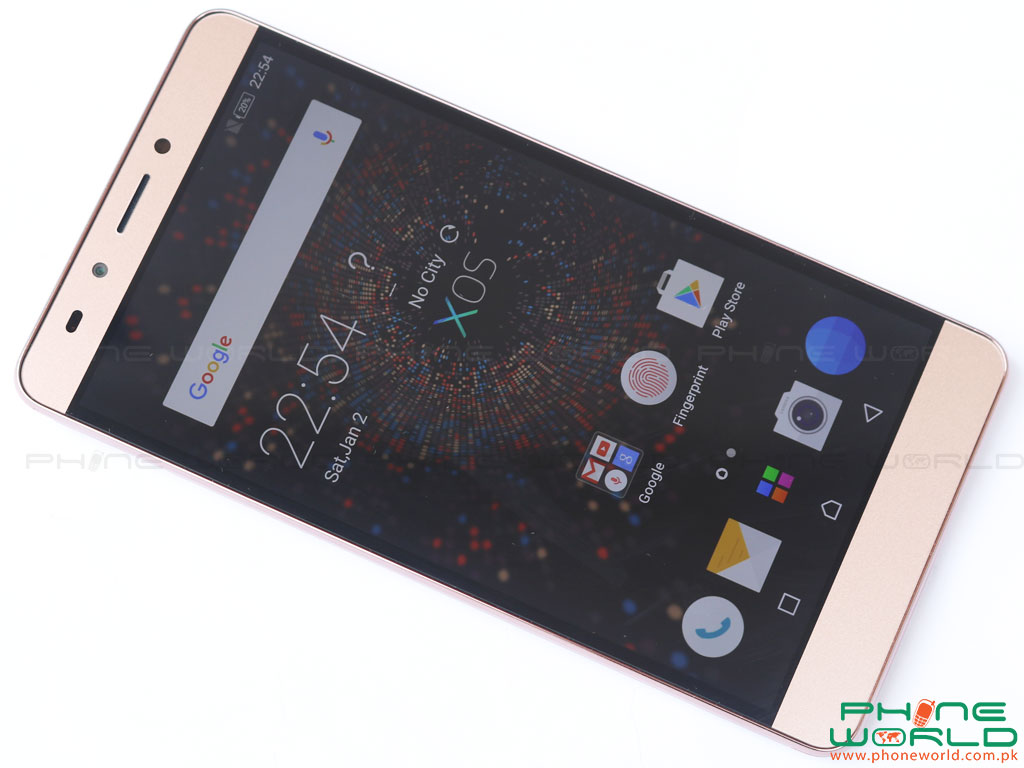
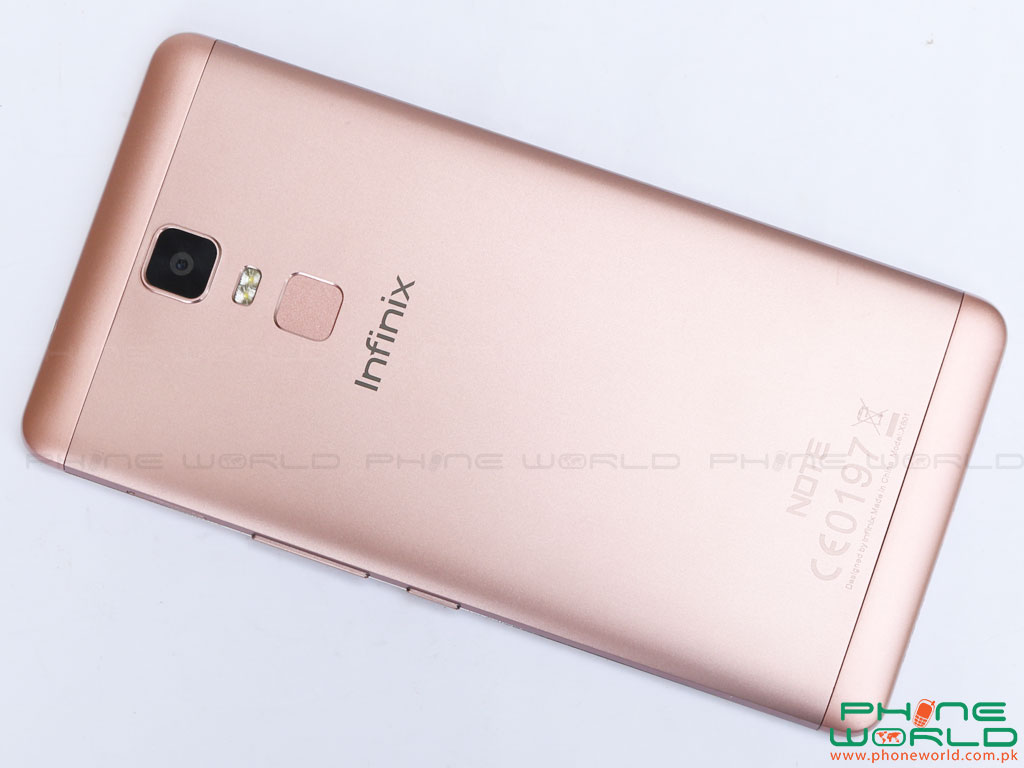
Its slim and sleek design attract the user’s interactions. Infinix Note 3 is 6.0’’ large FHD IPS display with 1080×1920 resolution. The smart phone is fully metallic body.

Infinix Note 3 has fingerprint sensor that uses to perform different functions like take photo, accept call, browse pictures. This smart phone has an extra feature that is long press power keys and volume up key at once to screen record with good sound quality.

The smart phone has 2GB ROM and 16GB internal memory. 1.3 GHz octa-core processor with 64 bit architecture. It provides long battery performance because it has 4500mAh fixed powerful battery.

Every feature of the Infinix Note 3 and slim and sleek metallic body boost its beauty and performance. Infinix uses android 6.0 (marshmallow) with its own interface XOS (Chameleon 1.N.0.6) in the Infinix Note 3.


Infinix Note 3 Unboxing:


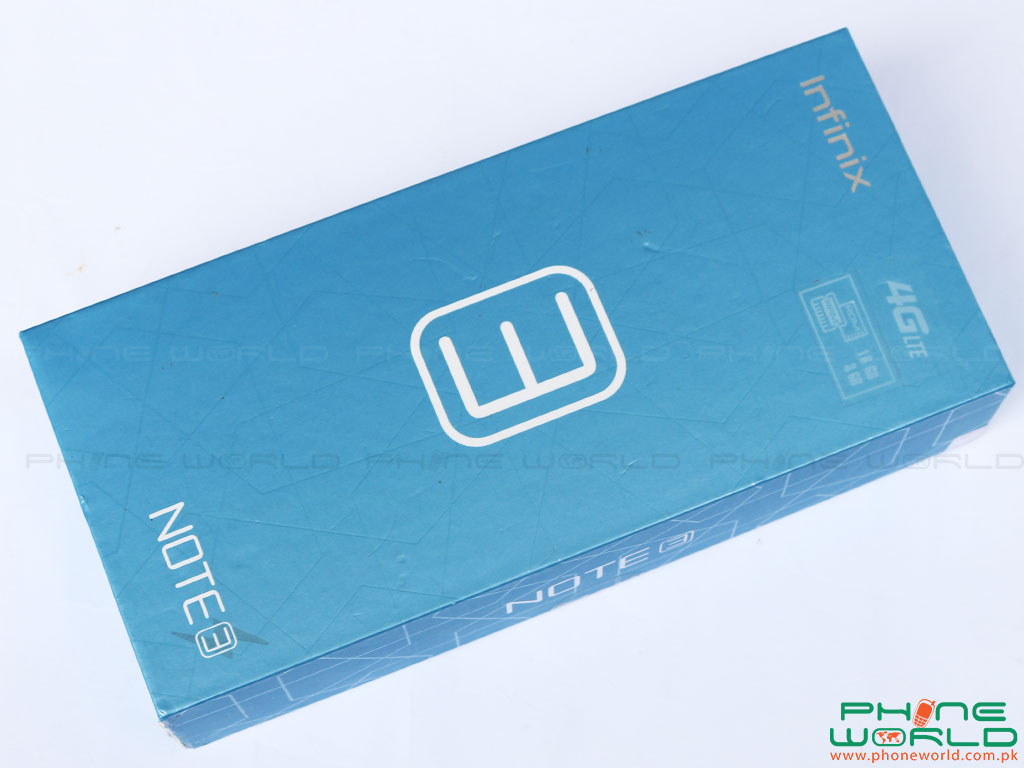
The Infinix Note 3 is loaded in a sky blue box with all the needed accessories like headphone, data cable and a charging adapter, wait there is also a screen protector to protect your screen. All the accessories are packed in attractive packing style, box is divided into three portions one for headphone, 2nd for data cable and last one for charging adapter.


Price and Specifications of Infinix Note 3:


LAUNCH Released  Sep, 2016
Availability  Available
BODY Dimensions  161.5 x 81.5 x 8.4 mm
Weight  200 g
SIM Slot  Dual SIM (Micro-SIM, dual stand-by)
DISPLAY Type  FHD IPS capacitive touchscreen
Size  6.0 inches (~75.3% screen-to-body ratio)
Resolution  1080 x 1920 pixels (480 dpi)
Multi-touch  Yes, 5-Point
NETWORK Network Support  GSM/3G
2G Bands  900/1800
3G Bands  2100
Speed  HSPA 42.2/5.76 Mbps
PLATFORM Os  Android OS v6.0 (Marshmallow), XOS Chameleon
Chipset  Media Tek MT6753
CPU  Octa-core 1.3 GHz, ARM Cortex-A53, 64-bit
GPU  Mali-T720
MEMORY Card Slot  Yes, up to 128GB
internal  16 GB, 2GB
CAMERA Primary  13 MP, autofocus, dual-LED flash
Features  Gesture Shot, Smile Shot, Panorama
 Video  1080p @30fps
 Secondary  5 MP
COMMS WLAN  Wi-Fi 802.11 b/g/n, hotspot
Bluetooth  v4.0
GPS  Yes, with A-GPS
Radio  Yes
USB  v2.0, microUSB
FEATURES Sensors  Fingerprint, accelerometer, gyro, proximity
BATTERY
 Non-removable Li-ion 4500 mAh battery
PRICE
 Rs. 18,599/-
OTHERS Colors  Champagne Gold


Pros :


  • Efficient battery timing
  • Fingerprint Scanner
  • Android Marshmallow 6.0 with XOS interface
  • Supports Fast Charging

Cons :


  • Heating issue noticed while using camera
  • No Secondary mic

Display of Infinix Note 3:


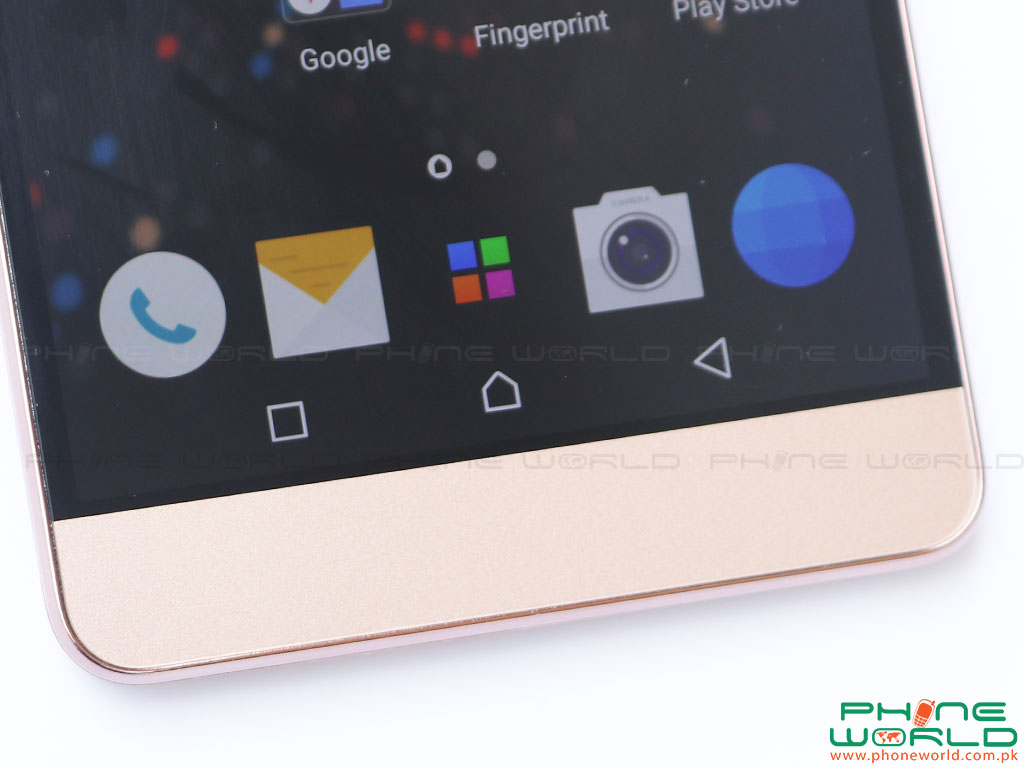
Infinix Note 3 has 6.0’’ FHD IPS large display. The screen resolution is 1080×1920 pixels with density of 480 dpi. Its wide-screen attract those people who are addicted to play games on wide-screen and watch videos. Wide screen enhance its beauty, but its display is saturated and icons are not much colorful. Function keys are inside the display screen. Infinix uses GPU ARM Mali-T720 which is same in both Infinix Note 3 and Infinix Note 2.

Design of Infinix Note 3:


Infinix Note 3 is a slim and sleek device with metallic body which gives a premium look. The dimensions of the Infinix Note 3 are 161.5 x 81.5 x 8.4 mm and the weight of the smart phone is 200 grams which makes a heavy and wide device as compare to the Infinix Note 2 that’s make difficult to use by single hand.

Screen size same for both Infinix Note 3 and Infinix Note 2 (6.0’’) but screen technology differs, Infinix Note 3 has FHD IPS display.

If we start discus its front display there is LED notification light at the top of the screen on right side that blinks on different notifications like low battery notification, attach to the PC through data cable and etc.

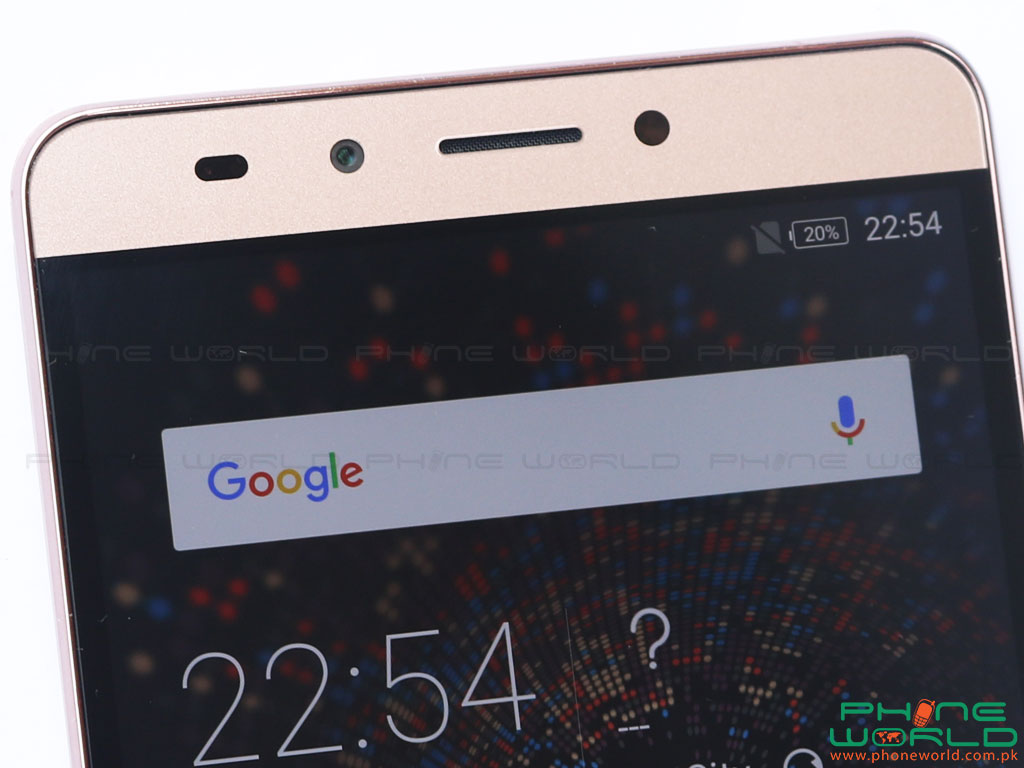
Front facing camera on the left side of the mobile and LED flash light on right side, there is earpiece in between the front camera and LED flash light. Function keys are inside the display screen.


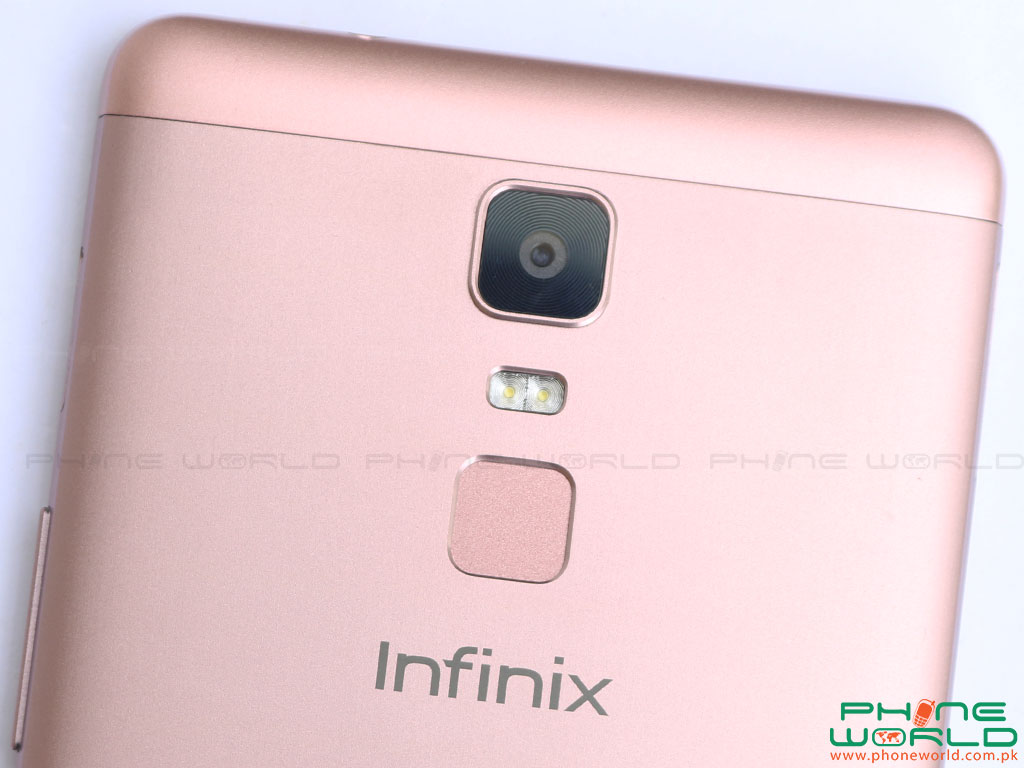
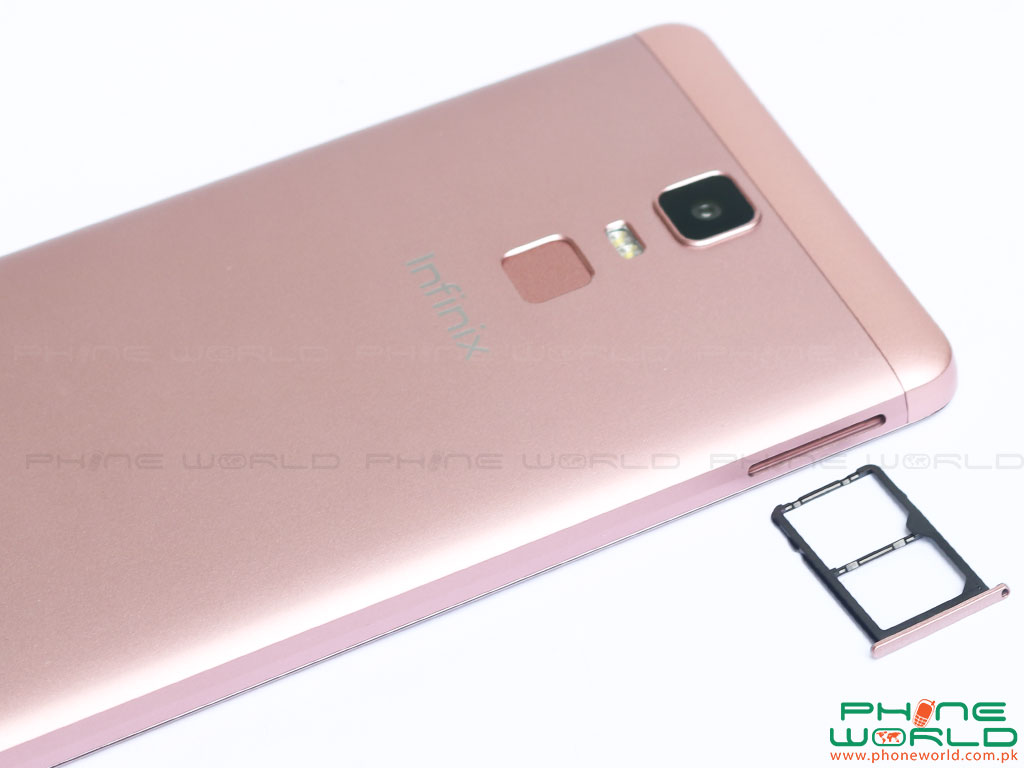
On the back of the Infinix Note 3 a rear camera and dual LED flash below the camera and on a little scale fingerprint scanner is placed.


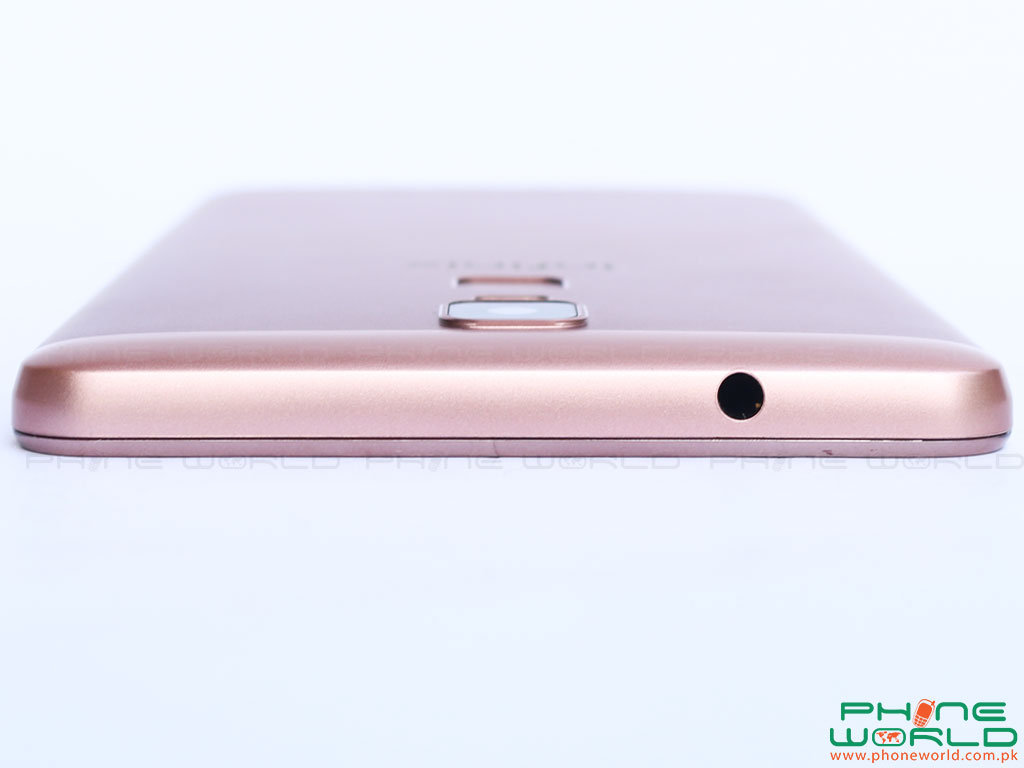
The right edge of the Infinix Note 3 is designed with micro SD card slot at the top and below volume keys and next power/lock keys is housed. There is nothing on the left edge except a dual SIM card slot. At the top edge an audio jack is placed and the bottom edge is filled with speakers on left side a USB/charging port and microphone.


Memory for Infinix Note 3:


Infinix Note 3 is launched with incredible memory combination of 2 GB RAM and 16 GB ROM. This RAM memory helps to maintain its speed and sufficient for multitasking. To store multimedia items and documents 16 GB ROM is built-in in the Infinix Note 3 that is very large memory to store huge amount of data. An extra card slot option in the mobile for external micro SD card to expand your memory up-to 128 GB.

Camera within Infinix Note 3:


Infinix Note 3 has a rear camera 13.0 MP with dual LED flash light and front facing camera 5.0 MP with LED flash light. Different mode can be select to capture your moments. There six different modes like beauty mode, professional mode, normal mode, panorama mode, night mode and PIP MODE. HDR option available and picture capture settings like guidelines level and delay capture. Videos can be record with high-resolution size 1080p.

Rear Camera of Infinix Note 3:

Rear camera of 13.0 MP with dual LED flash can capture your moments with different styles and effects and produced a batter image quality. There different modes for shots like professional mode in this mode you can manually adjust setting like contrast, ISO, WB and focus level. The panorama mode you can cover wide area with this mode.
Picture in picture (PIP) mode this mode provide facility to capture image with both front and rear camera on single screen and merge it. In normal mode you can take shots with different effects. Rear camera can record video with 1080 resolution with two different formats like .mp4 and 3g.


Front Camera of Infinix Note 3:


The front facing Camera is 5.0 MP with LED flash light. Infinix Note 3 has extra feature of wideSelfie option, with some other option which are in rear camera and setting are also same for both front and rear camera. Front camera can record video as well with 480 resolution and the formats are mp4 and 3gp. Its predecessor’s has 2MP front camera.


Network / Connectivity of Infinix Note 3:


Infinix Note 3 comes with special support of 3G and dual SIM option. The other connectivity in infinix Note 3 is Wifi that supports 802.11 b/n/g band, tethering & hotspot, GPS, Bluetooth v4.0 and microUSB port to connect with other devices through data cable.

Battery Performance of Infinix Note 3:


Li-ion 4500 mAh non-removable battery is fixed in Infinix Note 3. 4500 mAh battery provide very long battery performance as Infinix Note 3 has standby intelligent power saving mode and moreover it supports fast charging.

If your battery is down don’t worry there is Ultra power mode that turn off all power functions used to extend the using time. For very large display and to support 2GB RAM and 16GB internal memory with the combination of 1.3 GHz octa-core processor Li-ion 4500 mAh battery is very good approach to run mobile for extensive performance.

Interface of Infinix Note 3:


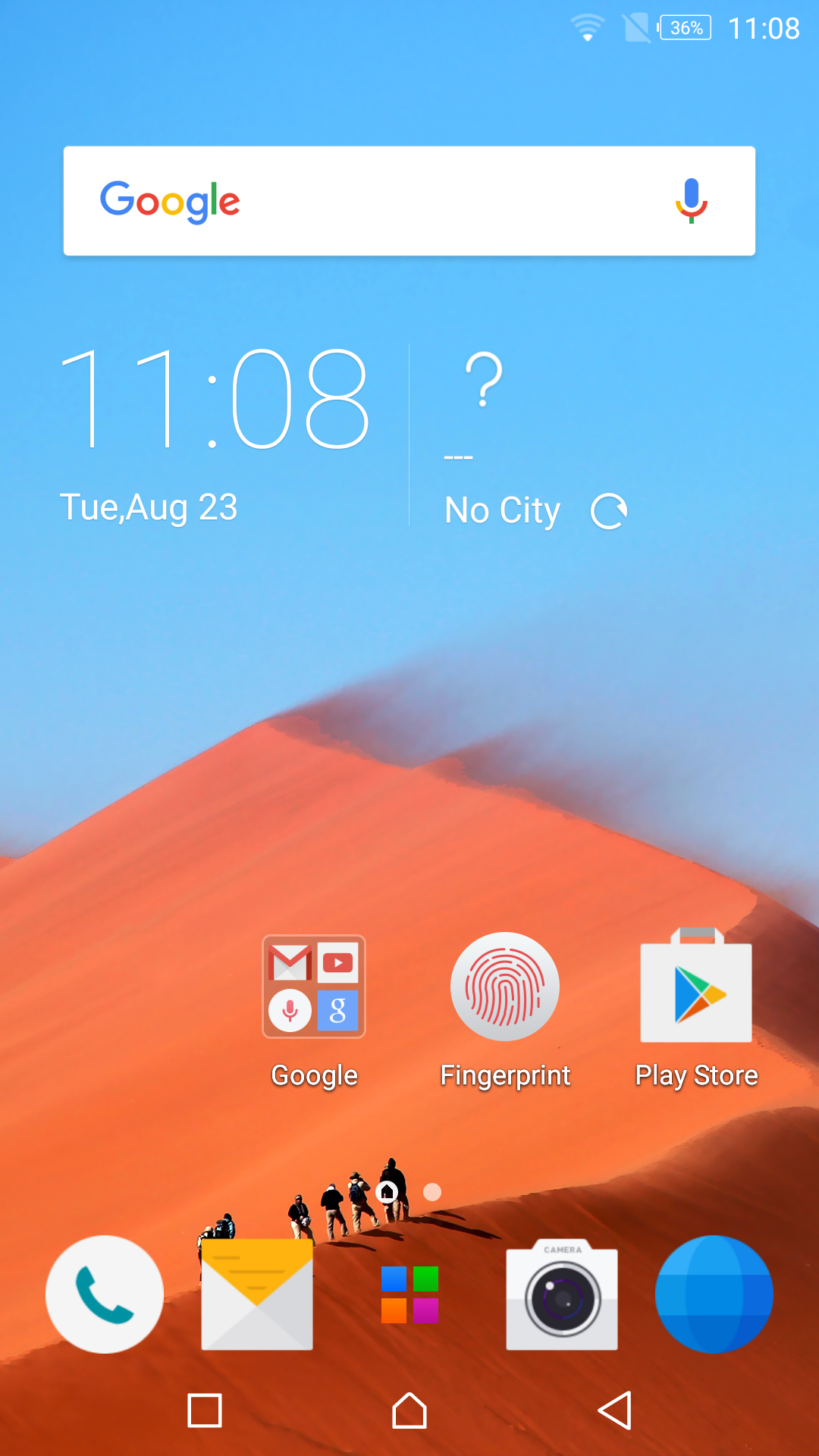
Infinix uses its own interface XOS (Chameleon 1.N.0.6) in the Infinix Note 3 with android 6.0 (marshmallow) it gives unique look to its users. When turn on the mobile and unlock the screen by just swapping thumb on the screen the home screen contain icons on web browser, camera main menu, dialer on the bottom of the front screen. On the top of the screen GOOGLE search bar is placed below time and date is shown.

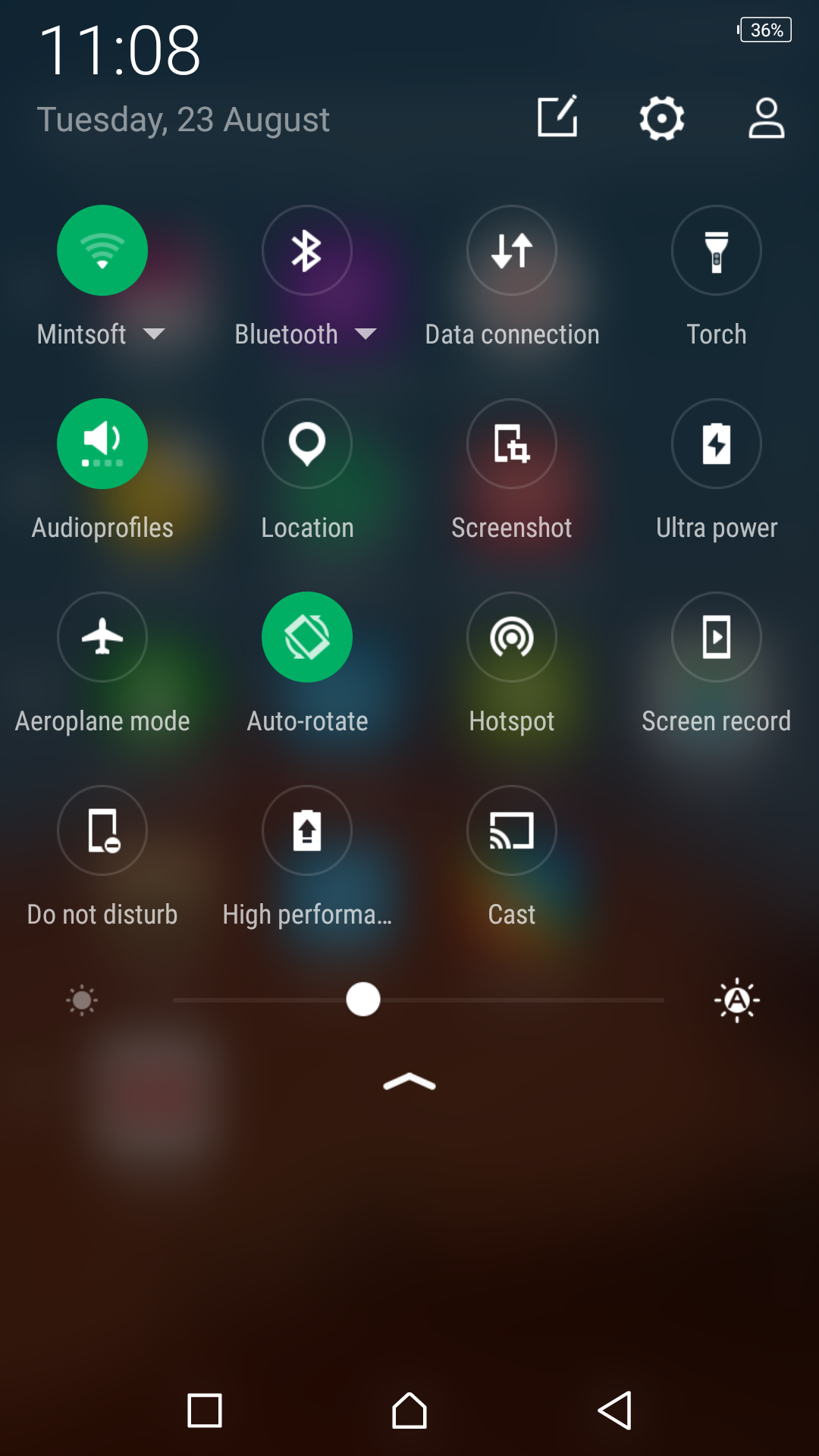
On the top of the front screen drop down menu which keeps shortcuts and owner’s contact information. Press the lock key and volume up key to record screen video with good sound quality.

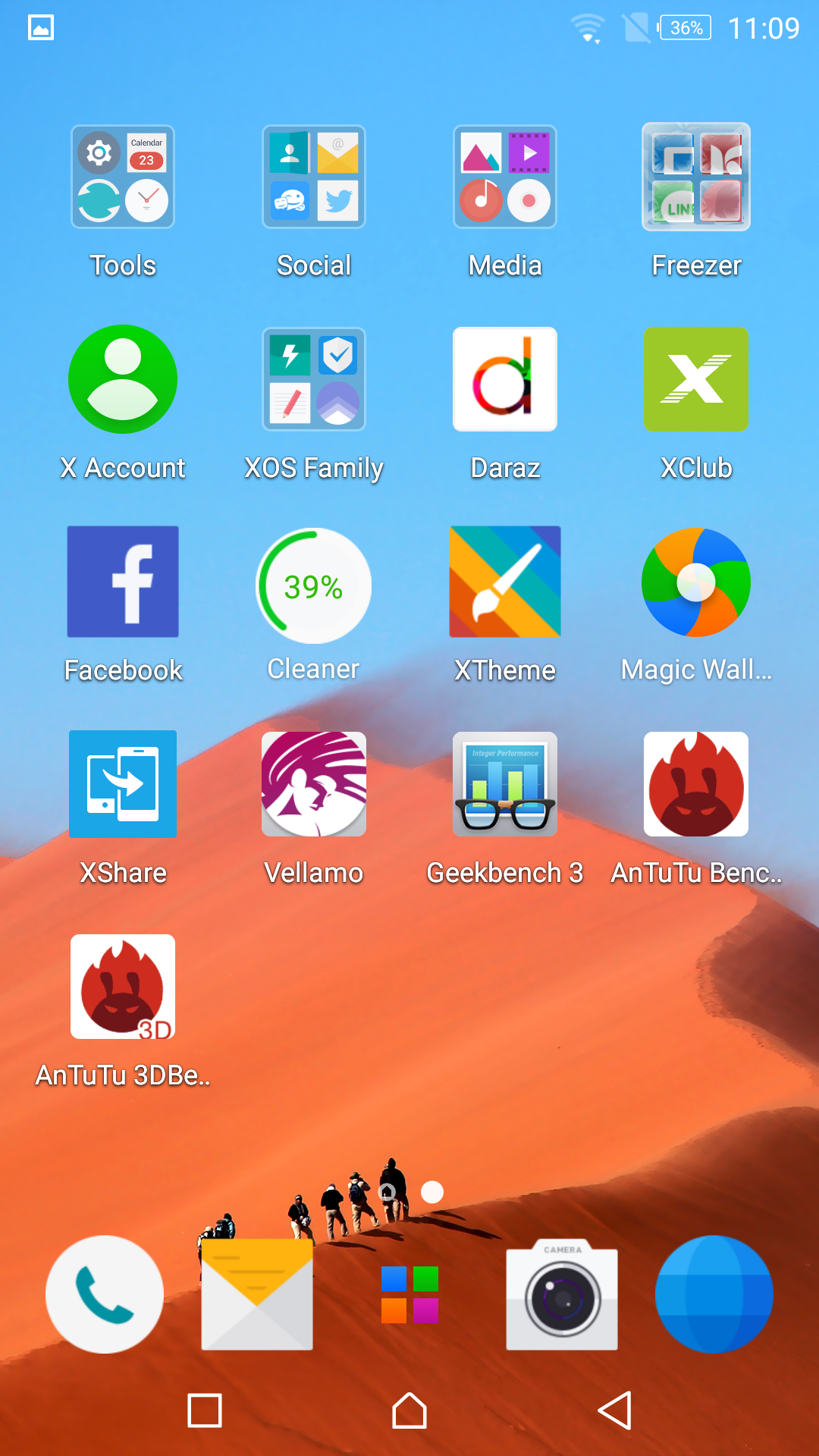
Open the main menu icons are arranged in alphabetic order, there is a search bar on the icons to search apps fast.

Screen touch is excellent and effects of interface is very attractive. Some pre-installed apps like XHide, Xender, freezer, Xshare magic wall and etc.

Freezer app is used to freeze your apps that are not in use, to save your memory you can freeze them. XHide app use to hide your important and personal folders to secure. Xshare and Xender both are used for same purpose to send and receive files.


Processor of Infinix Note 3:


Infinix use 1.3 GHz octa-core processor in Infinix Note 3 along with MT6753 chipset. The architecture of the processor is 64 bit supported. Combination of 3GB RAM and 1.3 GHz octa-core processor makes the work efficient and maintain the performance of the smart phone.

Antutu Benchmarking of Infinix Note 3:


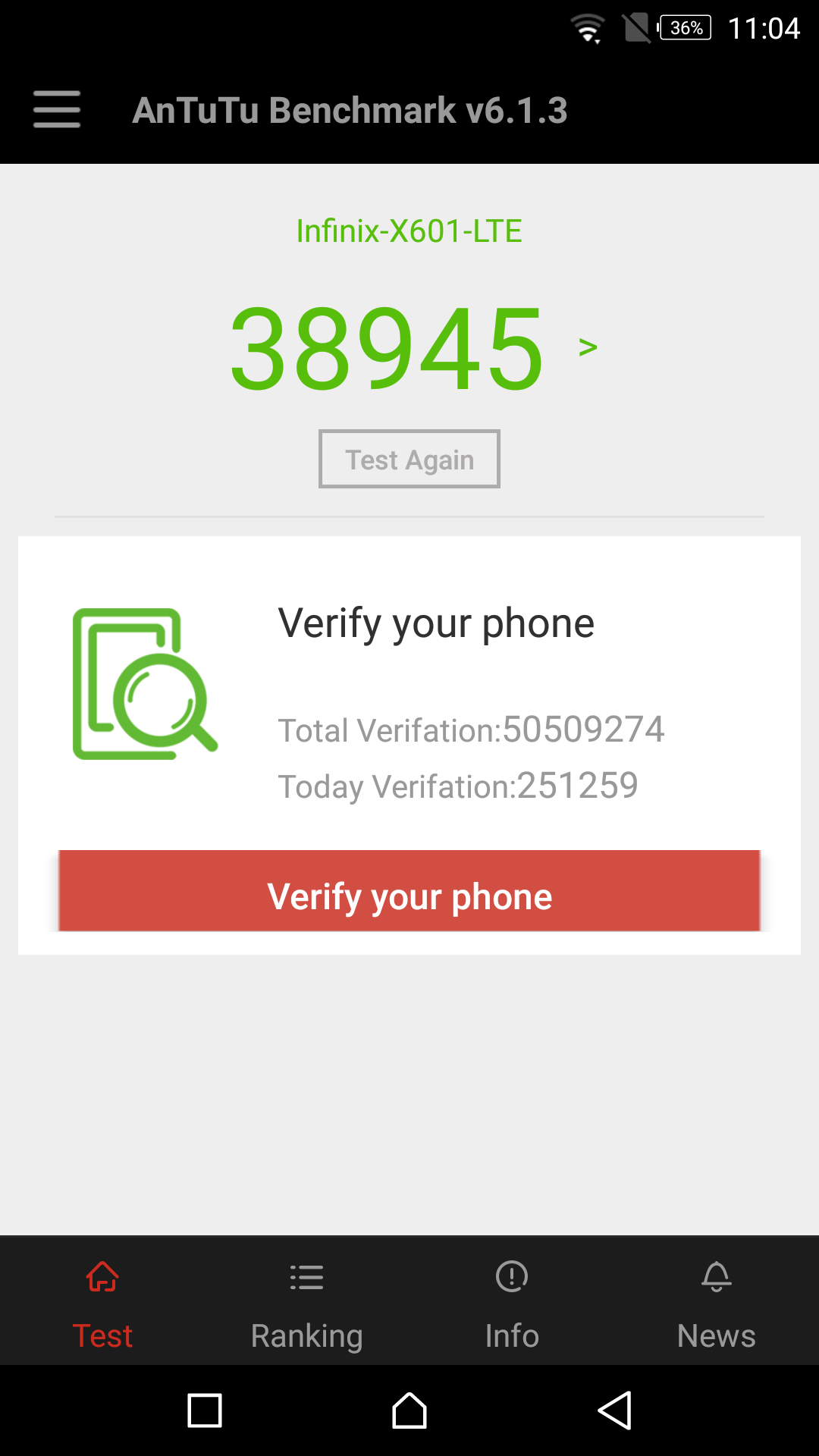
Infinix Note 3 got 38,945 score that good and satisfactory for mid-range smart phone. It’s previous model Infinix Note got 37100 points, Infinix Note 3 is more suitable than Infinix Note 2. Although with this score Infinix Note 3 is at the last in ranking table.


Vellamo Benchmarking for Infinix Note 3:


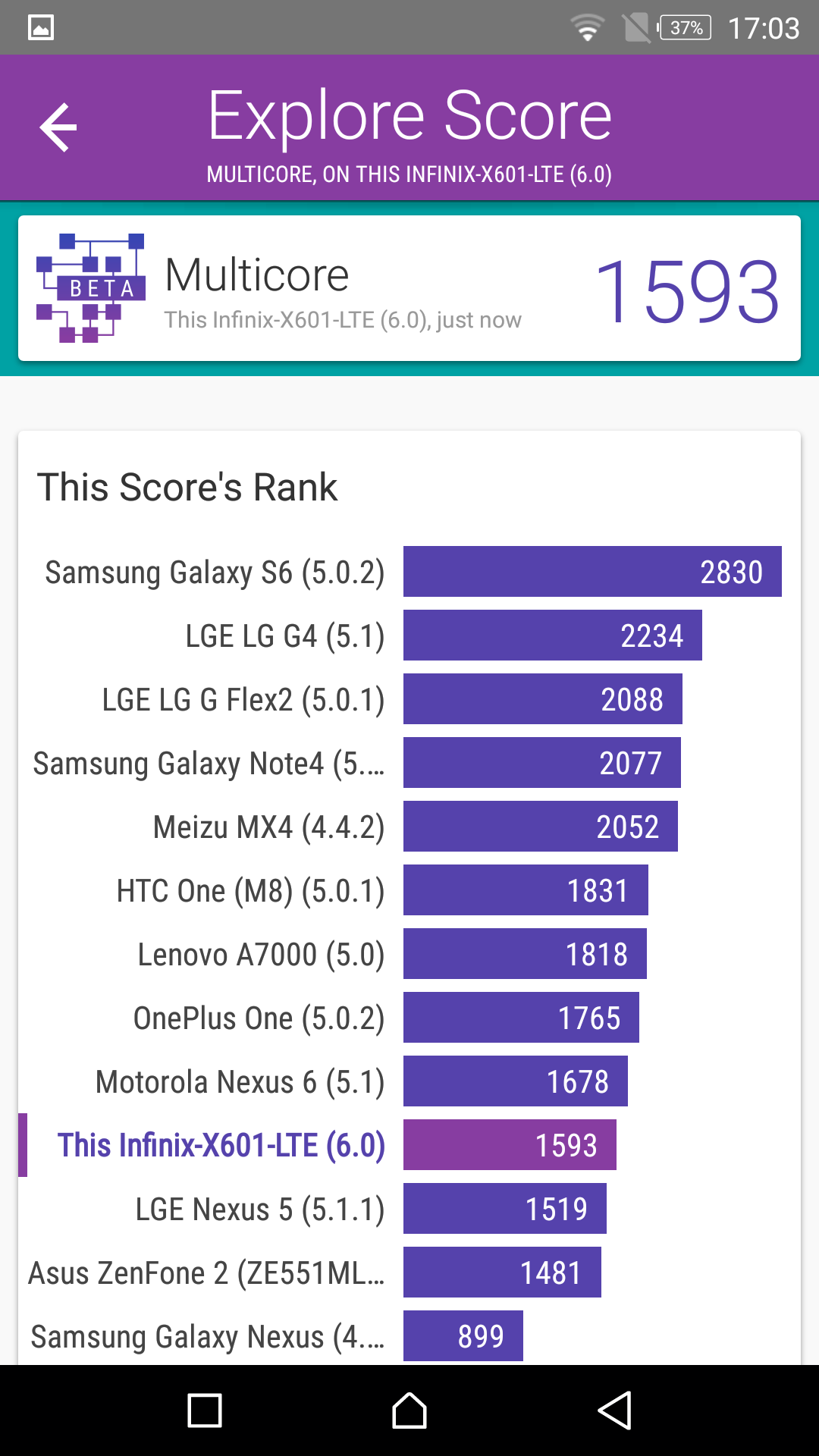
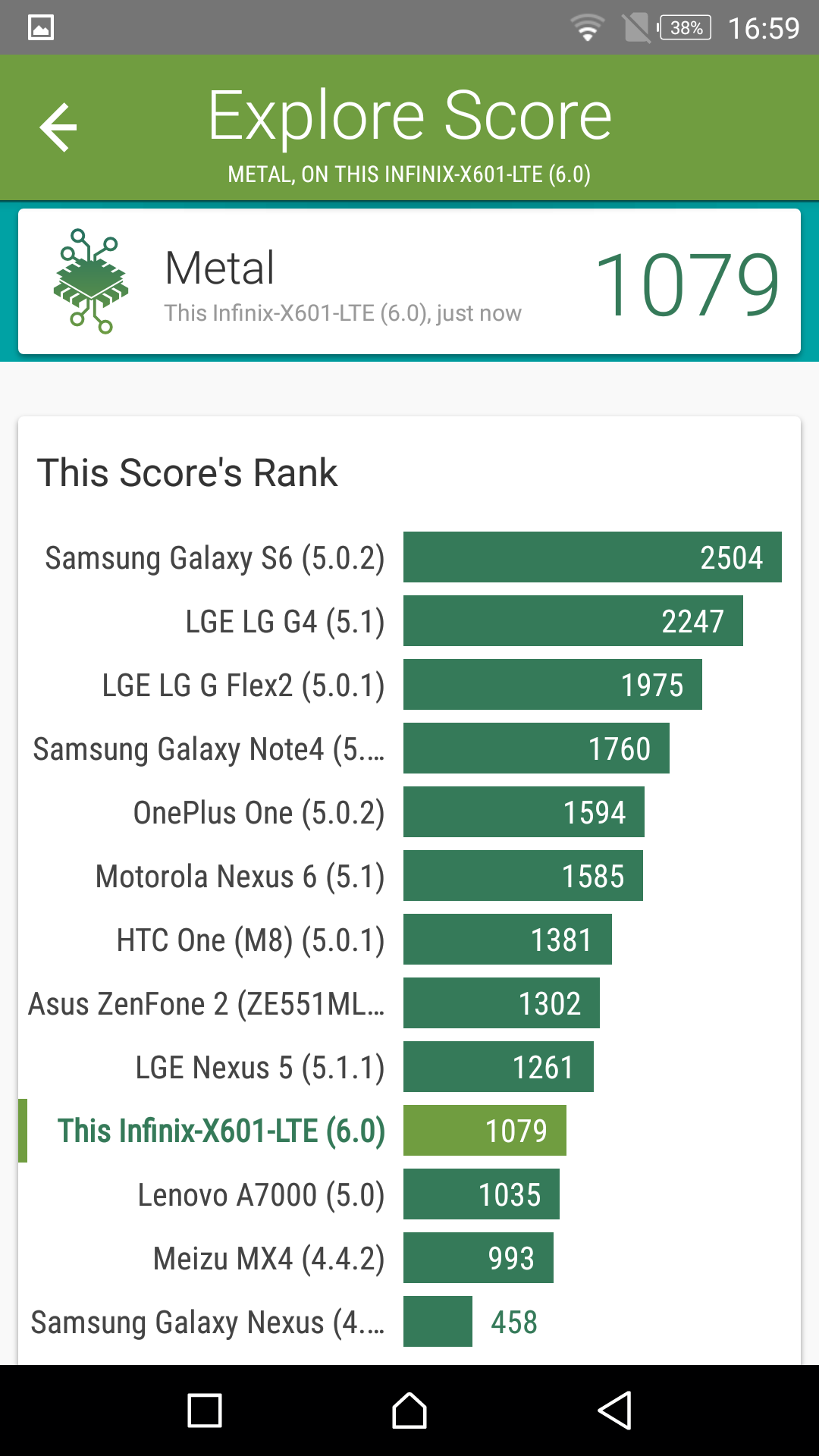
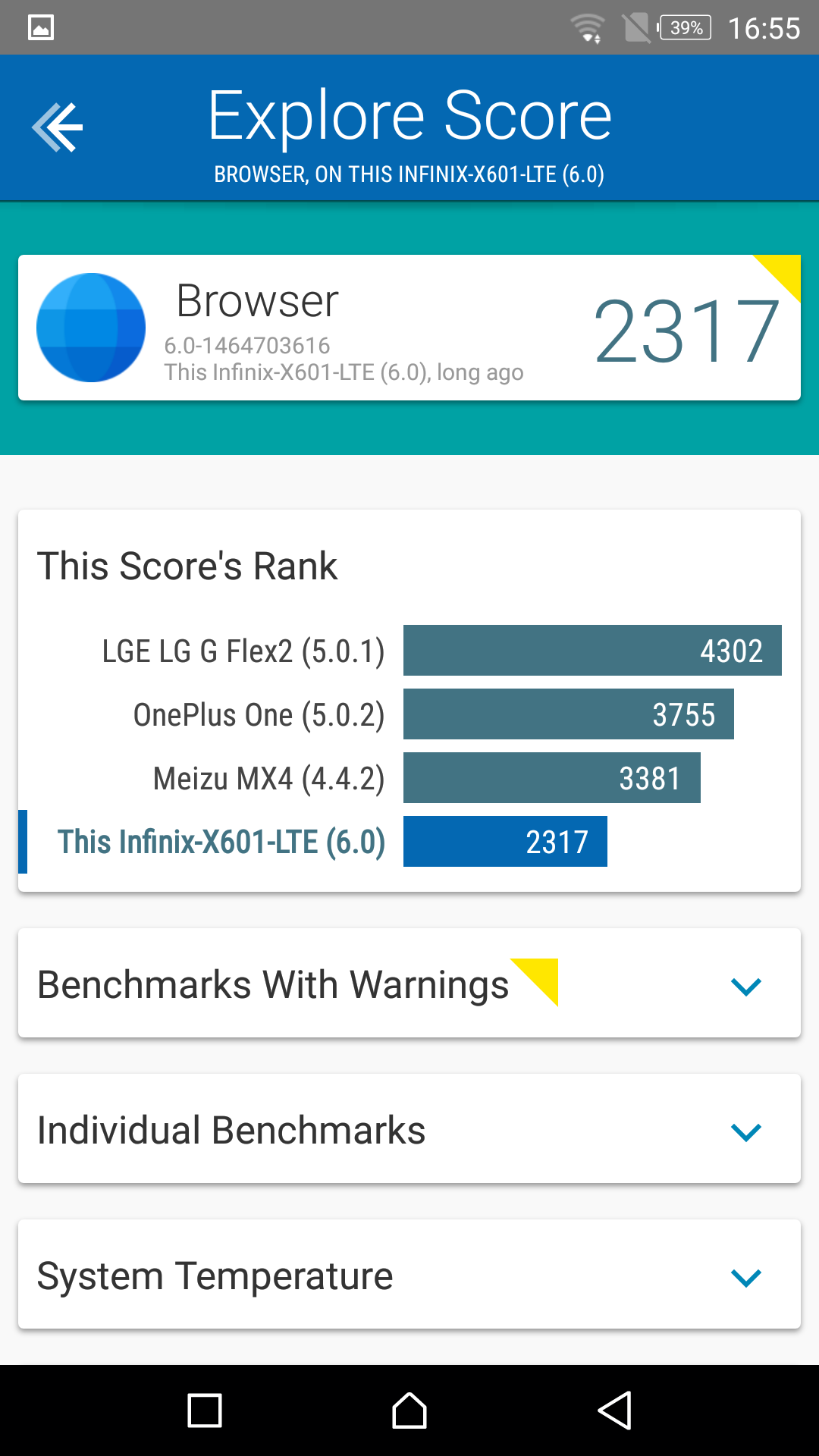
Infinix Note 3 got some surprising points which leave some devices behind. In vellamo test Infinix Note 3 got 1593 points in multicore test which place the Infinix Note 3 above the LGE nexus, Asus zenfone 2 and Samsung galaxy nexus. Metal core of Infinix Note 3 got 1079 points which leaves the Lenovo A7000, Meizu MX4 and Samsung galaxy Nexus behind on the ranking table. Browser got 2317 points these points ranked the Infinix Note 3 at the last on ranking table.


Conclusion for Infinix Note 3:


The features and hardware component shows that this device is much satisfy than its predecessor. Infinix Note 3 has 1.3 GHz octa-core processor with the combination of 2GB RAM and 16GB ROM. It has very long life battery performance which makes the performance of mobile reliable. 13MP rear camera with dual LED flash light and front facing camera 5MP with LED flash. Android 6.0 (marshmallow) with XOS user interface. This a dual SIM supported smart phone with 3G supported band. Its size and weight is difficult control by single hand. Infinix Note 3 heat-up during capture the images.

dimanche 9 avril 2017

Welcome to my new site

Hi everyone,and welcome to my new site.It's Welcome to my new site web about news of, last technologies (phones,cameras,TV......)
Also, i'm going to make same videos in  youtube to learn you how to download some programs and teach you some tricks in internet